
Replit: Vibe Code with AI Fast
ReplitProductivity
4.51.79K Reviews
- Version
- 2.197.4
- Installs
- 5.00M
- Age Rating
- Everyone
Screenshots
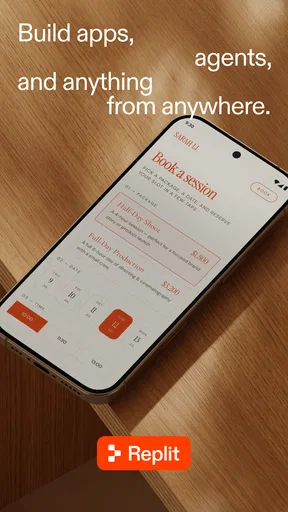
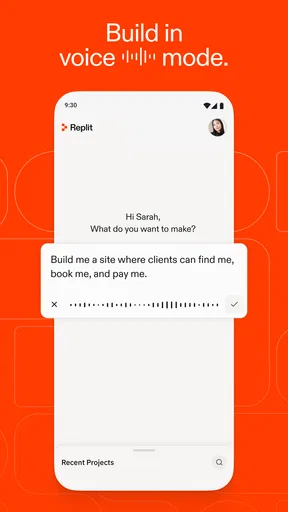
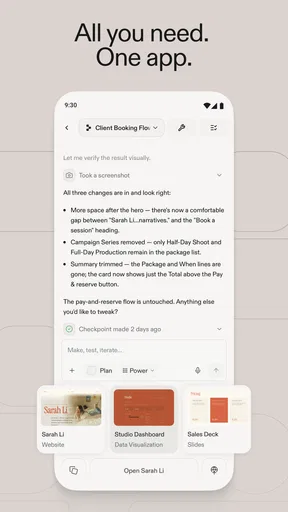

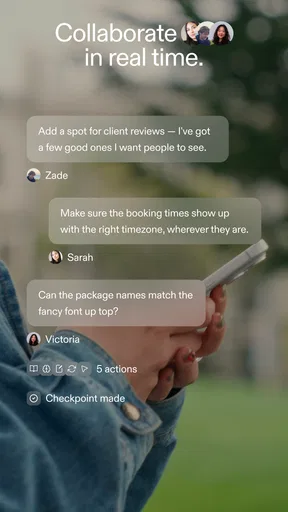

Our Review of Replit: Vibe Code with AI Fast
 Analysis by Appyee
I judge a coding app less by how impressive its first demo looks and more by what happens after the initial excitement: can I shape an idea, test it, and understand what needs fixing without fighting the tool? Replit: Build apps with AI makes that first step feel approachable, especially on a phone. Its real value is as a portable place to experiment and learn, not as a promise that every app can be finished effortlessly. I’d recommend it to curious beginners and developers who want to work in short bursts, with a few important caveats about mobile ergonomics and the need to check AI-generated work.
A quick route from idea to experiment
Replit is a free productivity app from Replit, and its focus is practical: get a project moving without requiring a traditional desktop setup at the outset. The app has a 4.5 average from around 24,000 ratings, and it has passed 5 million installs. Those figures suggest a broad audience, but they don’t tell me whether it suits a particular workflow; that depends on how much coding you plan to do on a small screen.
For a simple idea, I’d start with a narrowly defined goal rather than asking the AI to build an entire product at once. For example, if I wanted a small tool to organize a reading list, I’d first describe the basic input and output, then test whether that core interaction works before adding extra features. This gives me something concrete to inspect and makes it easier to spot when the result doesn’t match the request. The most useful habit is to treat AI output as a draft you can test, not as a finished answer.
That approach also makes the app more useful for learning. When code appears quickly, it can be tempting to keep asking for changes without understanding what changed. I’d pause after each meaningful revision, run the project, and compare the behavior with what I expected. If something breaks, narrowing the problem to one visible issue is usually more productive than asking for a wholesale rewrite. That is a good general workflow for AI-assisted coding, and especially sensible when reviewing code on a phone.
What mobile work is good for
A realistic use case is making progress during a commute or while waiting for an appointment: sketch a small feature, try an idea, or make a modest edit that you can revisit later. I wouldn’t choose a phone for a long session involving many files, detailed debugging, or extensive typing. A tablet can give the interface more breathing room, but a keyboard and larger display remain more comfortable for substantial coding. The app’s portability is a genuine advantage when it lets you capture an idea immediately; it doesn’t remove the physical limits of mobile work.
It can also help someone who is new to programming turn vague curiosity into a first experiment. The useful question isn’t “Can AI write my app?” but “Can I explain one small behavior clearly, test what it produced, and learn from the result?” If the answer is yes, the app can make starting less intimidating. If you want a structured course that teaches concepts in order, a dedicated learning resource may serve you better; generated code can help you explore, but it is not the same as a guided curriculum.
Where it fits among coding tools
Compared with a conventional desktop editor, a mobile coding workspace trades screen space and precise input for quick access. That is a fair exchange for reviewing a project, trying a small change, or working through a brief practice task. It is less attractive for a large codebase where I need to compare several files at once or repeatedly move between editor, terminal, and documentation. For that kind of work, I’d rather use a computer and a full development environment.
Compared with separate AI chat and coding tools, keeping the idea and the project in one place can reduce setup friction. But convenience should not be confused with independent verification: generated code can misunderstand requirements, introduce errors, or create behavior that looks plausible without being correct. I’d test important paths myself and avoid putting sensitive information into prompts. For work where security, reliability, or maintainability is critical, careful review and established development practices matter more than speed.
Cost, access, and who should skip it
The app is free to start, with in-app purchases ranging from about $26 to $260 per item. I’d explore the free experience around a real, small project before considering a purchase, and check the current purchase details in the app to see what applies to my intended use. That avoids paying on the strength of a quick demo when I’m not yet sure I’ll keep coding there. The age rating is Everyone, while younger users still benefit from adult guidance when learning how to evaluate generated code and share projects responsibly.
The current version is 2.173.0, and it requires Android 7.0 or later. Those details make compatibility straightforward to assess, but the more important question is whether you enjoy editing on your device. I’d skip it if I mainly want a finished, no-code website builder, if I expect AI to make technical decisions reliably without review, or if my daily work involves lengthy, precise development sessions. Someone who already has a comfortable desktop workflow may find the phone app useful as a companion rather than a replacement.
Getting Started with Replit
Diving into Replit is as simple as pie. When you open the app, you’re greeted with a clean and intuitive interface that doesn’t overwhelm you with too many options. Whether you’re a seasoned coder or just starting out, you’ll feel right at home. The onboarding process is smooth, guiding you through setting up your first project. Before you know it, you’re knee-deep in code, and it feels fantastic.
The app supports a plethora of programming languages, from Python and JavaScript to Ruby and C++. You name it, Replit’s got it. This versatility is a huge plus for anyone who likes to dabble in different coding environments. Plus, with the integrated AI, you get real-time suggestions and fixes, which feels like magic. It’s like having an assistant who’s always ready to lend a hand or two.
The Coding Experience
One of the standout features of Replit is its collaborative nature. You can easily invite others to your project, and it becomes a real-time coding party. Imagine brainstorming and coding with friends or colleagues, all from your phone or tablet. It’s seamless and, dare I say, a bit addictive.
The AI’s role in this is not just to correct your mistakes but also to offer suggestions for optimization and efficiency. If you’re stuck, it provides hints or even snippets of code to get you moving again. This is especially useful for those moments when you hit a roadblock and need a nudge in the right direction.
Features That Shine
Among the many features, the built-in console and debugger are worth mentioning. They’re robust and offer great insight into what’s happening under the hood of your app. Thanks to this, you can test your code on the fly and make necessary adjustments without breaking a sweat.
Another feature that deserves a spotlight is the community aspect. Replit has an active community where you can share your projects, get feedback, and even collaborate on open-source projects. This sense of community enhances the learning experience, allowing you to grow as a developer while also offering your knowledge to others.
Why You'll Love It
What truly sets Replit apart is its accessibility. You don’t need a high-end computer to work on your projects; your everyday smartphone or tablet is enough. This makes coding on the go not just possible, but enjoyable. Whether you’re on a train or chilling at a cafe, your projects are always within reach.
Moreover, the app’s performance is impressive. It handles large projects with ease, and the interface remains responsive even when working with heavy codebases. This reliability is crucial for developers who need to trust that their tools won’t let them down in critical moments.
Final Thoughts
In conclusion, Replit: Build apps with AI is a game-changer for developers of all levels. Its blend of powerful features, ease of use, and community support makes it an invaluable resource. Whether you’re crafting your first line of code or launching a full-fledged app, Replit is the sidekick you didn’t know you needed.
So, if you’re ready to take your coding journey to the next level, give Replit a whirl. It’s not just an app; it’s a gateway to endless possibilities. Trust me, once you start using it, you’ll wonder how you ever got along without it.
My verdict
I’d put this app in the “useful companion” category rather than call it a complete replacement for a computer. Its strongest case is the combination of a low-friction start, AI help, and a project space you can return to when you have a few minutes. That can be enough to turn an idea into a working experiment or make coding feel less solitary. The trade-off is that the same quickness can encourage accepting code before you understand or test it.
If you enjoy learning by making small things, want to explore an idea away from your desk, or value the chance to collaborate, I think it is worth trying. If you need a dependable professional workflow for complex software, or simply dislike typing and troubleshooting on a touchscreen, a desktop editor is the better primary tool. I’d begin with one modest project, verify each change, and decide from that experience whether the convenience fits the way you actually work.
Verdict
Strengths of Replit: Vibe Code with AI Fast
- User-friendly interface for beginners.
- Integrates AI to enhance coding efficiency.
- Supports multiple programming languages.
- Real-time collaboration features.
- Extensive community resources available.
Limitations of Replit: Vibe Code with AI Fast
- Occasional lag in real-time updates.
- Limited offline functionality.
- AI features require premium access.
- Steep learning curve for advanced features.
- Some integrations are still in beta.
Similar Picks in This Category
View All
Google Calendar
Google LLC4.6

Google Drive
Google LLC4.3

Google Assistant
Google LLC3.9

Microsoft OneDrive
Microsoft Corporation4.6

Samsung Calendar
Samsung Electronics Co., Ltd.4.1

Microsoft OneNote: Save Notes
Microsoft Corporation4.6
Frequently Asked Questions
What is Replit: Build apps with AI?
Replit: Build apps with AI is a versatile development platform that allows users to create applications with the help of artificial intelligence. It offers a collaborative environment where you can code in multiple languages, use AI tools to enhance your coding experience, and deploy applications directly from the platform.
Is Replit suitable for beginners in coding?
Yes, Replit is designed to be user-friendly for both beginners and experienced developers. It offers a simple interface, tutorials, and community support to help newcomers get started with coding. The platform's AI tools can also assist beginners by providing code suggestions and debugging help.
What programming languages does Replit support?
Replit supports a wide range of programming languages, including Python, JavaScript, Java, Ruby, and more. This makes it a flexible choice for developers working on diverse projects. Users can easily switch between languages and utilize Replit’s AI features across different coding environments.
How does AI enhance the coding experience in Replit?
Replit’s AI features provide intelligent code completion, error detection, and debugging assistance, which can significantly speed up the development process. The AI tools help identify potential issues and offer solutions, making it easier for developers to write efficient code and learn from the suggestions provided.
Are there any limitations to using Replit's free version?
While Replit offers a free version with many features, there are limitations such as reduced computational resources and a cap on the number of private projects. Users who require more power and additional capabilities can opt for paid plans, which provide enhanced resources and features.
